Share your projects with colleagues or clients
We have just released a new feature that will let you share any of your projects with your colleagues, prospects or clients. That feature has been based on some of our users feedbacks that were willing to share their projects with third-parties. This new feature allows you to whether share your projects in a “read-only” way or to offer greater accesses to your project management.
Let’s see how it works.
How to share a project
The option is now available on the home of any project. Click on the drill down menu on the upper right side and select “Share project”.
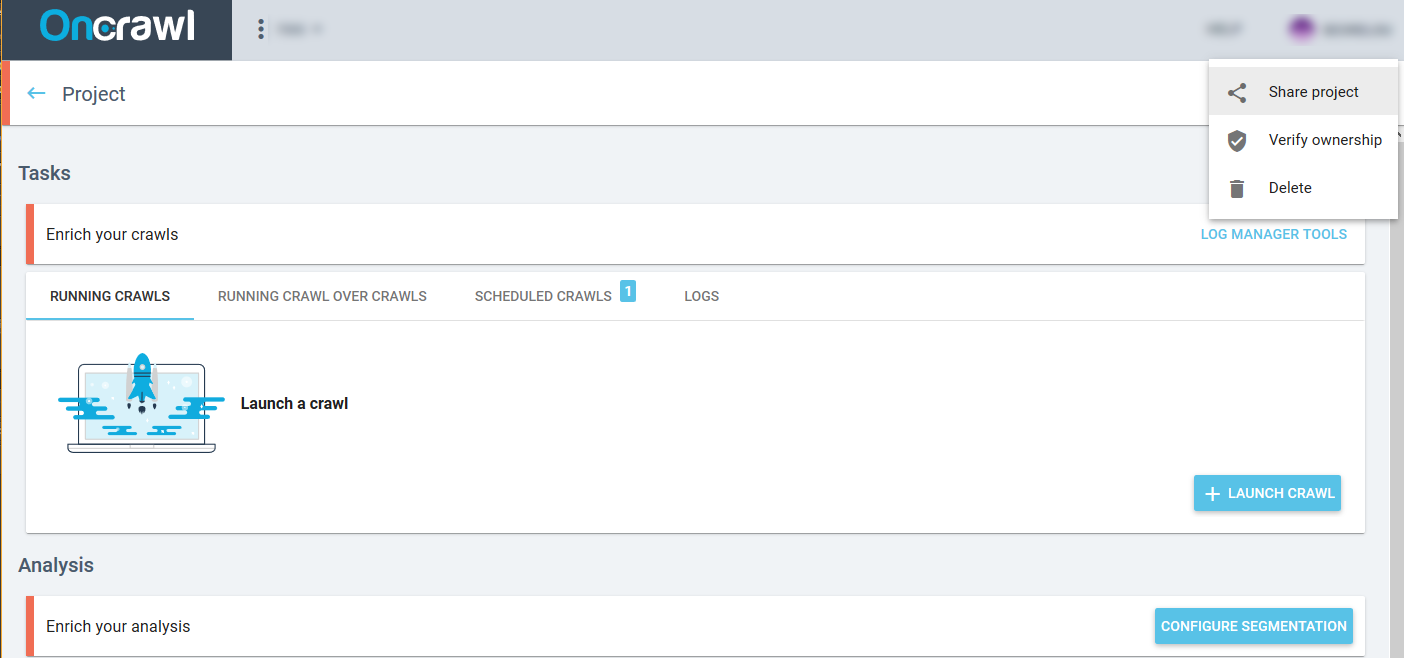
There, you are able to add as many user as you want by just adding their emails:
- If the user already has an Oncrawl account, he will receive an email telling him he can now access a new project. This new project will be available with the other projects he already owns.
- If the user does not have an Oncrawl account, we will automatically create an account for him and send logins by email.
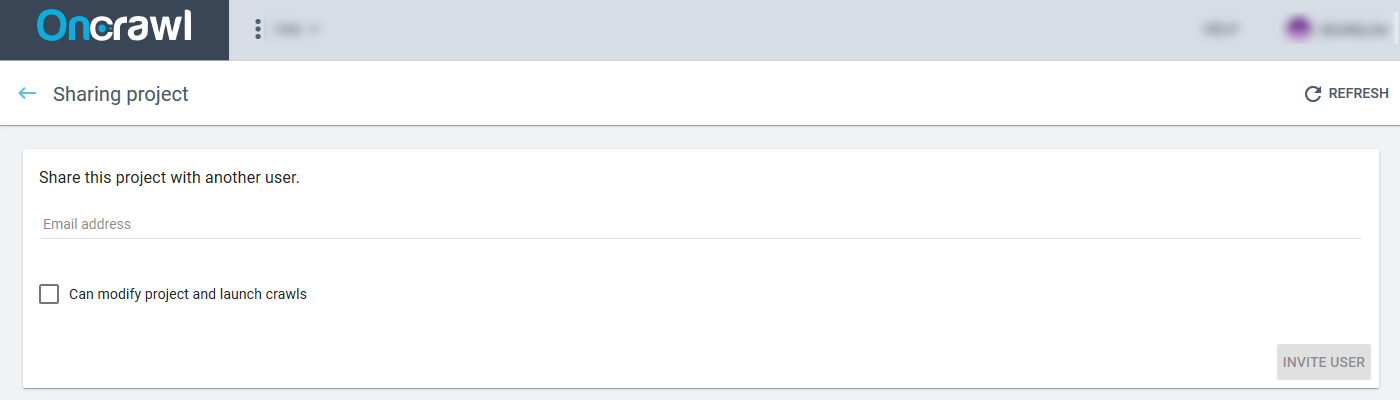
How to manage users
By default, the invited user has a “read-only” profile. It means that he can only read the report, review and export the data. No action can be made on the crawl configuration.
By ticking the ‘Can modify project and launch crawls’ box, the project owner allows the new user to realize the following tasks:
- Setup and lunch crawls;
- Configure segmentations;
- Create Custom Filters;
- Use the Log Manager Tool.
The project owner can, at any time, modify or delete an access for any of their invitees.